MERCURY UPDATE | November 2026
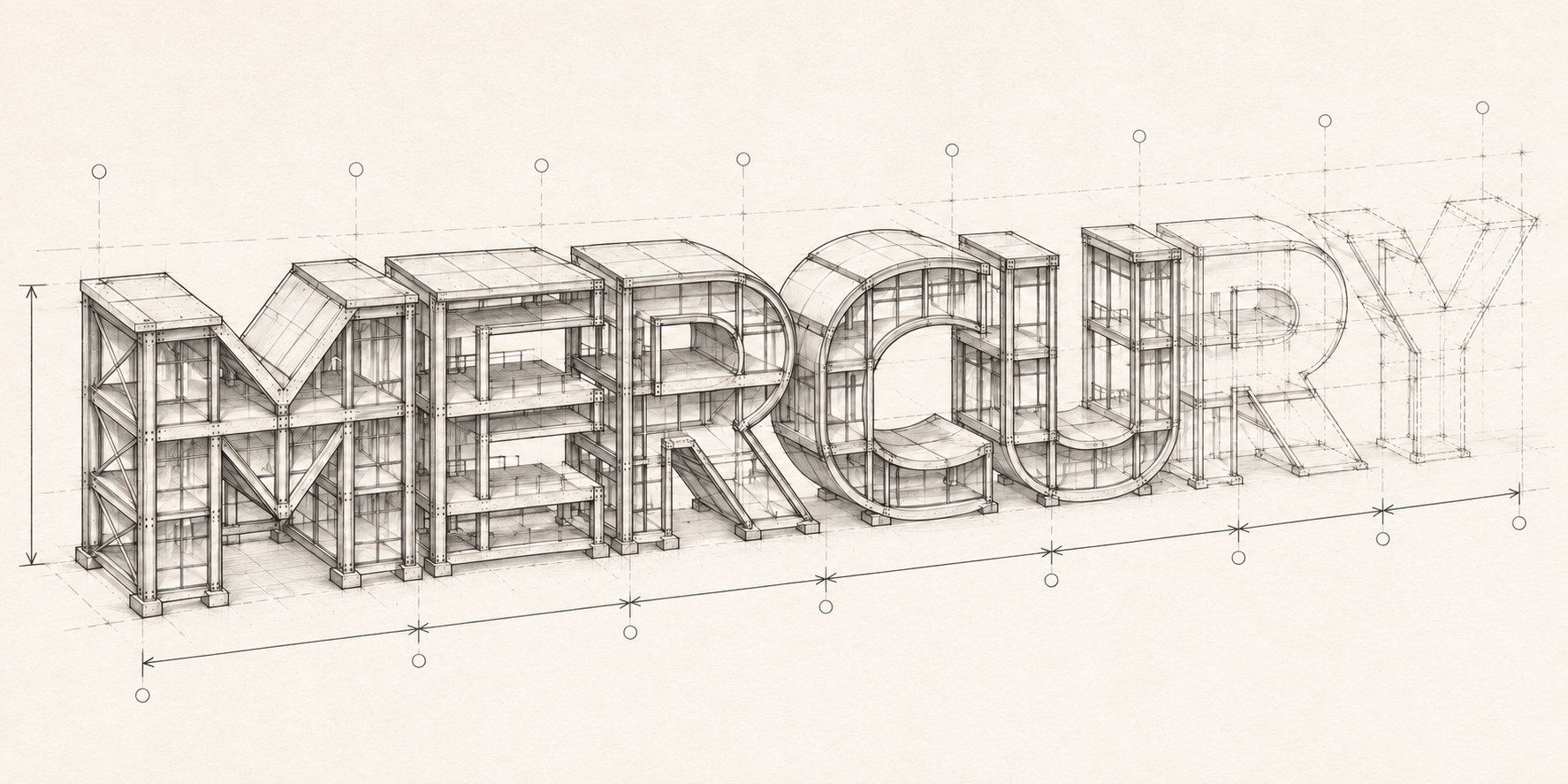
This round leans into managing and viewing documents, which is appropriate since it's the most heavily used tool in our bags. We also added a lot of guards to prevent workflows and todo items from getting stuck because changes were made after the process had started. We are seeing requests become more focused on adding efficiency rather than filling a gap. That is an exciting chapter to be in since it means smaller changes will make bigger impacts. More smaller changes is also why there are fewer Featured Changes listed below.
Thank you to everyone who filed a ticket or flagged something on a jobsite visit. Several of the fixes below came straight from the Kaiser, Horizon House, SANH, TVC and Corvallis Parks teams.
FEATURED CHANGES
Featured changes are those that came highly requested, have a significant impact on functionality, or we thought were more exciting than the others.
Documents: Folder Permissions
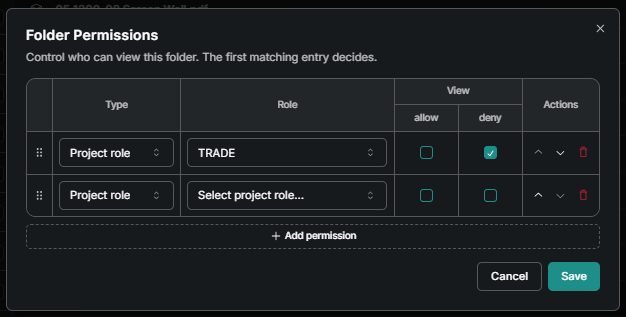
You can now control who sees a specific folder in Documents. In the Public Documents folder use the options button to choose Permissions. From there you can allow or deny viewing by specific user or a entire permissions role. For the super savy they can by layered in a hierarchy as well. Check out the article under Permissions in our docs.
Documents: Pin a Document to a Drawing or Spec
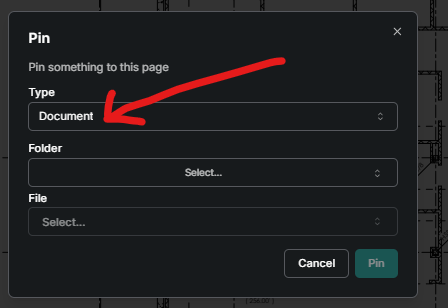
The Pin tool has always linked a drawing or spec to a form (most often an RFI). Now it can link to a file in Documents too. After selecting the Pin icon in the markup menu, choose Document from the first drop down, then the folder, then the file, and the pin on the sheet opens that document. Handy if you're saving stapled RFI and Submittal PDFs in your Public folder.
ENHANCEMENTS AND FIXES
Here are more changes made, grouped by where they can be found. Please reach out to pdesimone@shoestringvalley.com if you have any questions as to why and he will name names as to who requested them.
Documents
PDFs uploaded as a “Document” (not a drawing or spec) now scroll page to page instead of being stuck using the < > buttons at the bottom.
Uploading a PDF with no bookmarks or page labels now shows a clear error with a link to the upload help article, instead of the dialog quietly closing and offering to notify the project about an update that never happened.
Fixed a handful of drawing sheets that wouldn’t open on web (“an error occurred while loading”) because they were marked up before the April viewer upgrade. Those sheets have been repaired.
New documents added through the V2 Update now appear in the View by Update list, and any sheets you already had open in tabs refresh to the new version without reloading.
On mobile, removed the list-style icon from the PDF toolbar. It looked like page navigation but didn’t go anywhere. Less buttons with no less features is a win.
Forms & Workflows
Mercury no longer lets you save a workflow edit that leaves nobody whose turn it is to respond. Previously, unchecking Required on the waiting step and then deleting it could leave a form stuck Open with the warning triangle and no way to close it.
Fixed Save and Publish erroring in the template editor.
The Add Amendment dialog on closed submittals now stays on screen and scrolls, so the submit button is reachable.
Searchable dropdowns inside short dialogs (like Add User in the Directory) are no longer cut off with the search box hidden.
Template builder now added a layer of granularity to the visibility settings that causes sections or fields to only be visible after or before a form is published.
Checklists & Quality
Publishing a draft someone else created. After the Distribute change in September, some users saw the Publish button on a teammate’s draft but got “Something went wrong!” when they used it. The Publish button now only works for people who can publish; if you can’t, it’s disabled with a note explaining why.
On mobile, the planned checklist location breadcrumb is no longer cut off at the end, so the distinguishing information on the checklist is always visible.
Checklist counts have been corrected to include items added after the initial plan was created in the total. Let us know if you have old checklist that look like the counts are off.
Form Tables & Reports
Date filters have a new Last option so a saved view can always look back a set number of days, weeks, or months without updating the range by hand.
Reports now show Open and Closed status the same way the form table does, instead of lumping both under Published.
Sorting by Published At works in both directions, and the column list in the menu matches the order on screen.
Filtering a form table by Company now returns the matching forms (it was returning an empty table).
To-Dos & Notifications
When a step’s due date changes in Edit Assignees, the assignee’s home-page to-do and reminder email now follow the new date. Removed assignees have their to-dos closed.
The form creator no longer gets two to-dos for one form when they’re automatically added as the final approver.
Assignment reminder emails are now clearly labeled as reminders. On templates with a custom subject line, the reminder used to look identical to the original “New Assignment” email.
Fixed the first emailed-code sign-in on a new device or fresh browser sending you back to the email screen instead of into Mercury. This only affected people logging in for the very first time.
Daily Reports
Copy Previous on manpower now works the way it does on web. It no longer greys out when you’ve already added a blank company row, doesn’t duplicate rows when used a second time, and deleting a copied row no longer deletes its twin.
Photos
Many photos (depending on how they were uploaded and the device) were not displaying. For those who care, the problem stemmed from the .heic file type.
We increased the number of attachments (photos included) that can be uploaded at one time from 20 to 30. And if you don’t want to remember the number 30, we added a notification as to why the upload will not work if you try 31 or more.
MERCURY USER INNOVATIONS
THIS IS WHY WE CREATED MERCURY! These are the tools that our own users have thought of and created on their own. Seriously, no software engineers were involved in creating the following:
One of our Boise teams had to take over a project midstream from another GC. At the point they took over there were 100 RFIs already posted. Additionally, they are having to use the client’s RFI and Submittal software to which our trade partners don't have access. The team was able to modify their tools in Mercury to make backfiling those 100 RFIs and creating new ones mostly painless. More importantly, they created a consistent single source of truth for our trade partners to access project records in Mercury.