MERCURY UPDATE | December 31, 2025

Don’t pretend like this is the first Christmas card you’ve received after the 25th. Seriously, here we are at the end of our first year of being live! It has been real, to say the least, but we have come a long way as showcased in change logs like this. We appreciate all the people who use Mercury every day and are on this journey with us, supporting its development by providing valuable feedback. We’ve got big things planned for 2026 and unlike those new gym memberships, we’ll be sticking with them. Jump into our User Group if you want help direct those plans! Read on to see what’s features and fixes have been put in place since October.
Year in Review Stats:
At year’s end, we are averaging around 225 weekly (unique) active users.
Over 130 features and fixes completed.
Over 60 projects created.
Patrick’s Spotify listening age is 60 years old.
FEATURED CHANGES
Featured changes are those that came highly requested, have a significant impact on functionality, or we thought they were more exciting than the others.
Amending Closed RFI’s & Submittals
A popular post to our Feature Request board was the “re-opening” of a closed form. To undo mistaken clicks and intentionally add information after a from is closed without needing a revision. There was much more to this than having a button that says REOPEN, so here’s what we did:
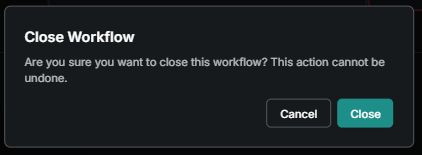
Closed by Accident? - We added a confirmation window that appears every time the Closed button is selected. That way you’ll have to make the same mistake consecutively in the period of a few seconds to close a form by accident. In which case we can’t help you.
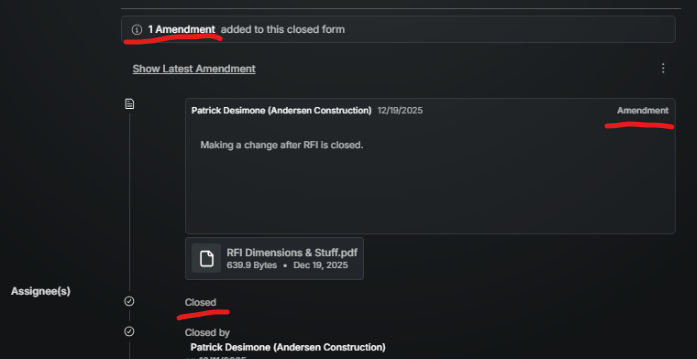
Adding to a Closed Form - There is now an “add amendment” button that inserts another text and attachment step in the workflow history. The status of the form remains Closed and notifications go out to all the Assignees. It’s up to the user to decide if redistributing is necessary after making the amendment. Here’s the full article on Amending a Form for more detail.
Mobile Photo Album Enhancements
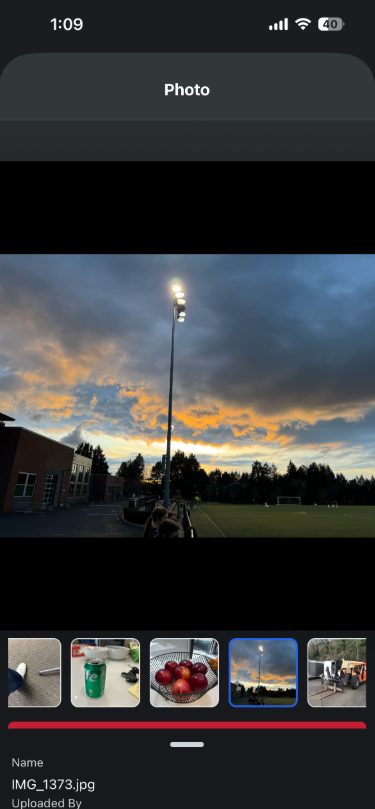
We did a remodel of mobile photo album navigation that provides a feel more like native photo apps. We also added the ability to Edit photo descriptions from mobile or web. Lastly photo’s can now be deleted from mobile.
Feature Requests & Road Map
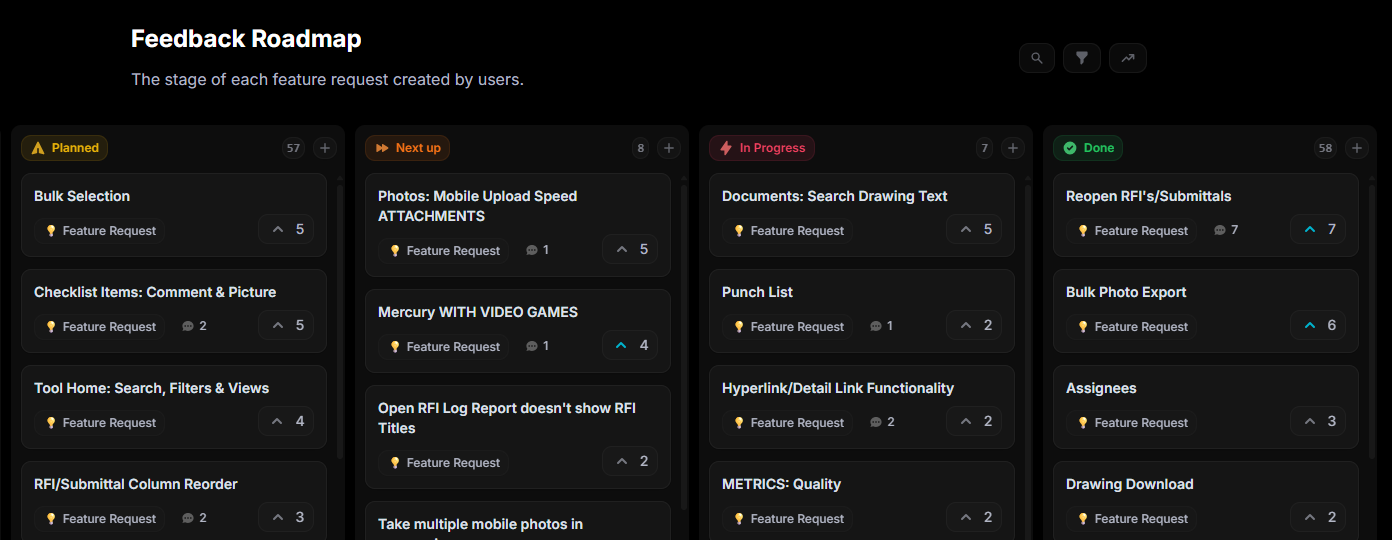
We are now accepting all feature requests and utilizing the voting and comments in them to prioritize and even discuss feature requests. All of the the changes in this log have crossed the feature request board! Check it for ourself: https://feedback.mercurybuild.com/roadmap
ENHANCEMENTS AND FIXES
Here are more changes made, grouped by where they can be found. Please reach out to pdesimone@shoestringvalley.com if you have any questions as to why and he will name names as to who requested them.
Documents
Custom Document Pin Label: You no longer have to use the Mercury Template Name and Form number to make up the label that acts as a link (pin) on the drawing. Here’s the Pin Label article for more detail.
Document Page List Menu Size: The left panel in documents can now be drug left/right to resize based on the length of page name or desired drawing/spec area.
Bulk Update New Page Sort: When doing a bulk update, new pages (didn’t exist prior to updated file) now are inserted into the existing or new pages by alphanumeric order.
Delete Page Version: It’s now possible to delete a single version of a page from drawings or specifications.
Directory
Sort/Filter/Search Directory: The options for finding a person by name or company or filtering a list of people in the directory are much improved.
Company not Updating: The company assigned to a user now correctly updates from the master directory down to the project.
User Phone Number Edits: Changes to a users phone number are now done under the user profile and therefore managed by the user and not a Mercury admin.
Mobile
Mobile Documents Display Increased: You can now view more than 10 files or folders (rows) on mobile.
Inspections
Observations not Closing: A bug has been found and resolved related to changing assignees after an observation has been published.
Planned Checklist Default Value: We have resolved the bug that was saving changes when selecting the Cancel button in the Default Value screen.
Pass vs Fail Observations: Its now possible to create an observation template dedicated to Pass that is different from Fail.
Admin
Permissions for Project Created Templates: When creating custom project level role, all custom project level templates are available to add or remove.
Permissions: Multiple tools have been had the permissions cleaned up for miscellaneous actions related to create, edit, view and recycle.
Improved Error Messaging: Multiple conditions now have a clearer message to prompt the user why something is not working.
Assignees (RFIs & Submittals)
Assignees Sorting: The Assigned To, Submitted At and Due Date columns now sort by ascending or descending.
Company Name in Assignees: In the assignee workflow the company name of the user is included next to the user name.
Upload UX: After a file is chosen or dropped for attachment, it immediately begins upload without a final click on the upload button.
Photos
Auto-generated Photo Albums for Forms: Every form that has a place to upload photo’s automatically gets an album created and all photo attachments to that template get stored there.
Photo Bulk Export: Entire albums can now be exported from Mercury.
Daily Report
Topic Drop Down: When entering a new topic name, a list of past topics drop down to save time typing the same title every day.
MERCURY USER INNOVATIONS
THIS IS WHY WE CREATED MERCURY! These are the tools that our own users have thought of and created on their own. Seriously, no software engineers were involved in creating the following:
Logistics Plan posted to the Whiteboard: One of our University of Washington projects is using the whiteboard on the home screen to share where their offices are on campus and other logistical information. Since the whiteboard is seen by all, it’s a quick find by anyone using Mercury!